I only recently stumbled over Google’s Apps Script at script.google.com and it felt like finding a pocket-sized automation kit hiding in plain sight. No servers, no setup — just a browser tab and some JavaScript. I use it to keep my calendar sane, and it can just as easily reach other Google products or external APIs. If you want the full reference, the official docs live at developers.google.com/apps-script.
What I’m Automating
- Blockers around private appointments: I import a private calendar that’s only visible to me and mirror those events into my work calendar with 15 minutes before and after blocked out. That buffer keeps me from sprinting between life and work.

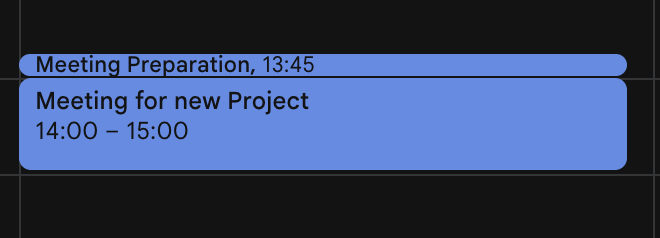
- Meeting prep blockers: Before every non-recurring meeting, I drop in a 15-minute prep slot so I’m not jumping in cold.
First Steps with Apps Script
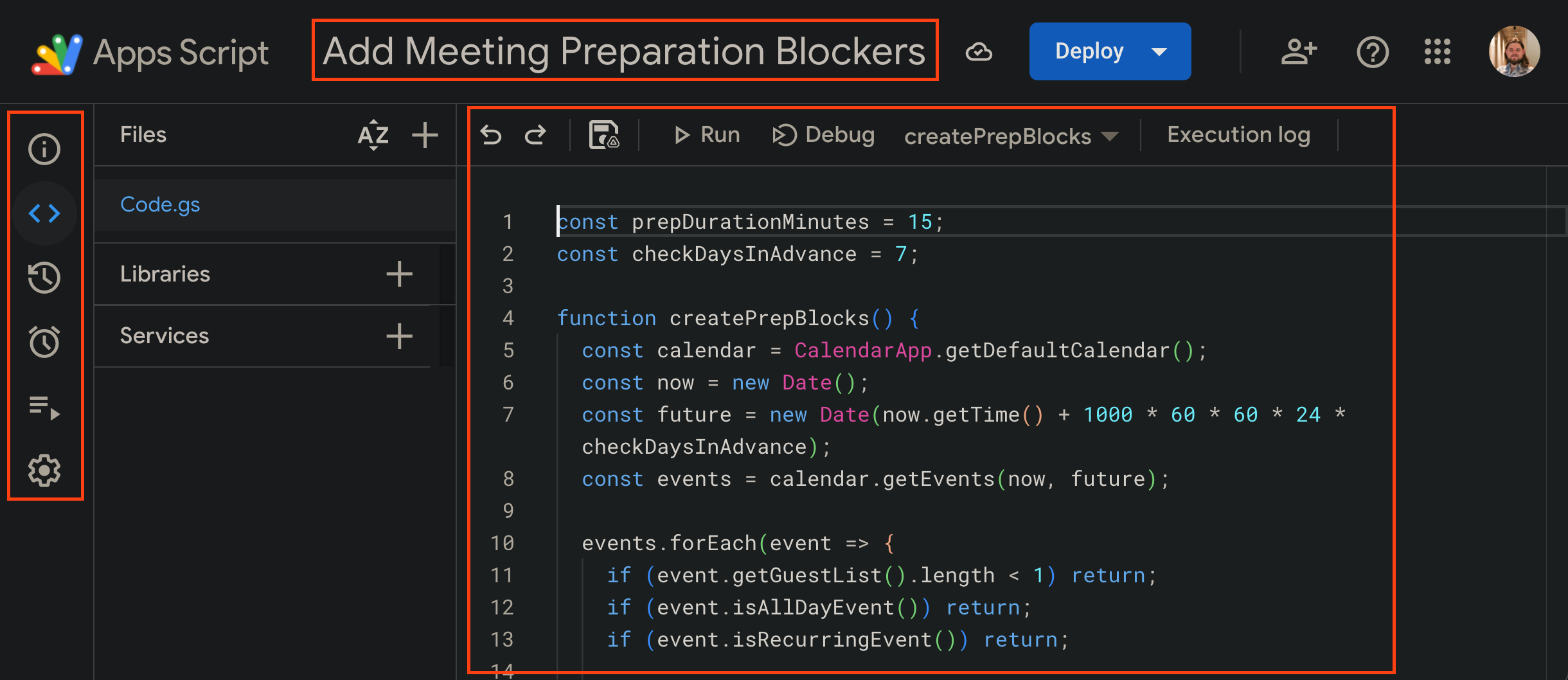
- Go to https://script.google.com/home and create a new project. Give it a name, open the code view, and you’re ready to type.
- Click around for a minute: the left nav holds the editor and triggers, the top bar has run/debug/save. It’s friendlier than it looks.
- Tap Run or Debug often —
console.logis your friend — just remember these scripts can write to your calendar, so start small. - Once it behaves, open the stopwatch icon on the left to go to Triggers.
- Click Add trigger in the bottom right, pick the function to run, choose a time-driven trigger (daily works well), and set the options.
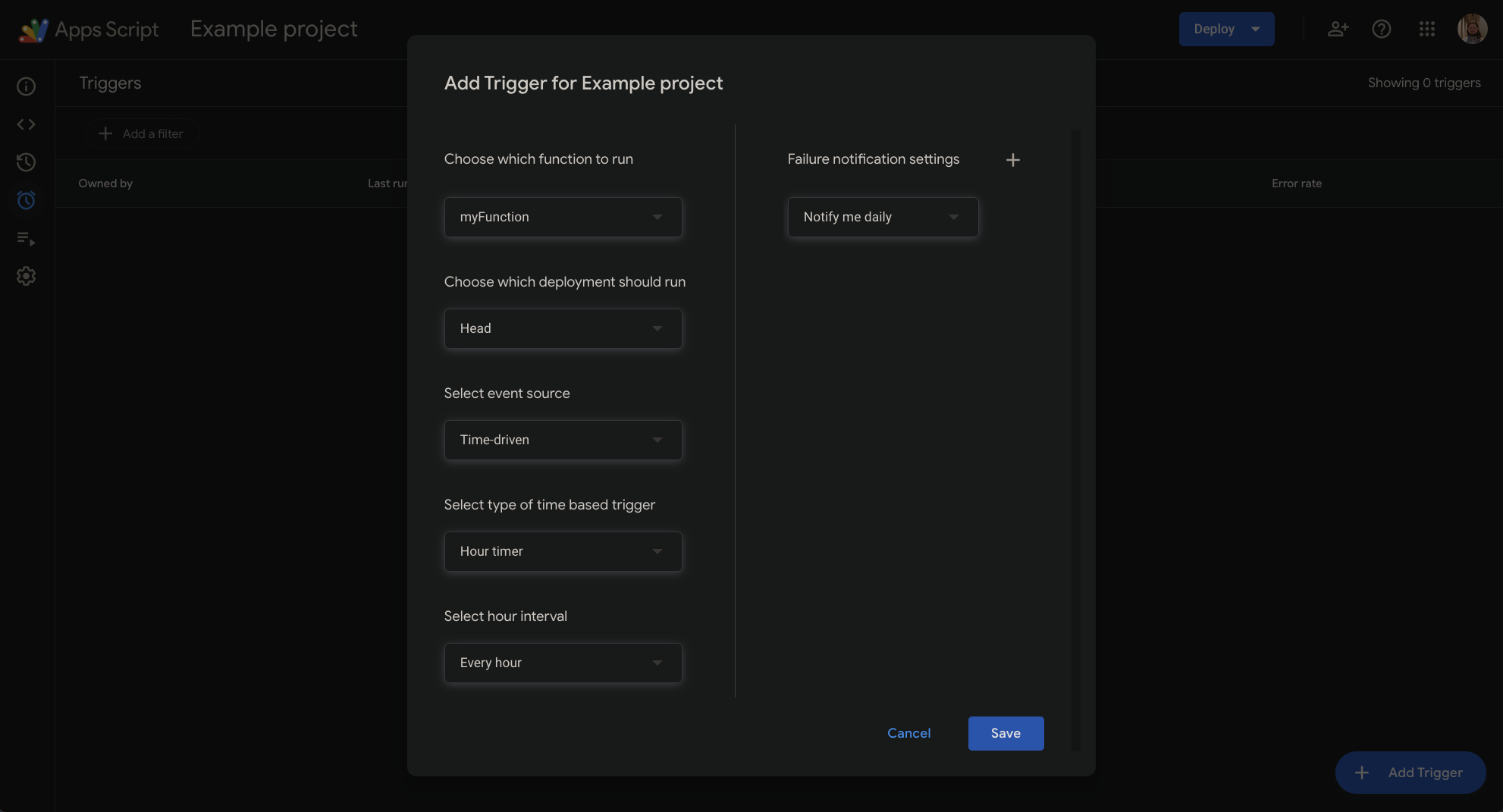
- Save it. From now on it runs on schedule without you babysitting.
- If you want to see what’s been happening, head back to https://script.google.com/home — My Executions and My Triggers show a quick status.
Those steps work for any calendar automation. Below is the code I use as one concrete example of what you can build.
Code Examples
Add Meeting Preparation Blockers
const prepDurationMinutes = 15;
const prepCheckDaysInAdvance = 7;

function createPrepBlocks() {
  const calendar = CalendarApp.getDefaultCalendar();
  const now = new Date();
  const future = new Date(now.getTime() + 1000 * 60 * 60 * 24 * prepCheckDaysInAdvance);
  const events = calendar.getEvents(now, future);

  events.forEach(event => {
    if (event.getGuestList().length < 1) return;
    if (event.isAllDayEvent()) return;
    if (event.isRecurringEvent()) return;

    const start = event.getStartTime();
    const prepStart = new Date(start.getTime() - prepDurationMinutes * 60 * 1000);
    const prepEnd = start;

    // Check if prep event already exists
    const existing = calendar.getEvents(prepStart, prepEnd)
      .filter(e => e.getTitle() === "Meeting Preparation");

    if (existing.length === 0) {
      var prepEvent = calendar.createEvent("Meeting Preparation", prepStart, prepEnd);
      prepEvent.setDescription(event.getDescription())
    }
  });
}
Add Blockers for Private Appointments
const blockerExtensionMinutes = 15;
const blockerCheckDaysInAdvance = 30;

function createBlockers() {
  const mainCalendar = CalendarApp.getDefaultCalendar();
  const privateCalendar = CalendarApp.getCalendarById("...");

  const privateEvents = privateCalendar.getEvents(new Date(), new Date((new Date()).getTime() + 1000 * 60 * 60 * 24 * blockerCheckDaysInAdvance))
  privateEvents.forEach(privateEvent => {
    if (privateEvent.isAllDayEvent()) return;
    if (privateEvent.isRecurringEvent()) return;

    const blockerStart = privateEvent.getStartTime()
    blockerStart.setMinutes(blockerStart.getMinutes() - blockerExtensionMinutes);

    const blockerEnd = privateEvent.getEndTime()
    blockerEnd.setMinutes(blockerEnd.getMinutes() + blockerExtensionMinutes);


    const existing = mainCalendar.getEvents(blockerStart, blockerEnd).filter(e => e.getTitle() === "Blocker");
    if (existing.length === 0) {
      console.info("creating blocker for " + privateEvent.getTitle());
      var blocker = mainCalendar.createEvent("Blocker", blockerStart, blockerEnd);
    }
  });
}
Share Your Automations
If you build your own Apps Script calendar helpers, I’d love to see them. Share a screenshot or snippet with me on Twitter or LinkedIn and tell me what problem you solved.